
AUTOCAD BASIC AUTOCAD PRO navisworks bricscad basic bricscad pro ULTIMATE
Rendering | Point Snap
Command Line
- AutoCAD / BricsCAD: CWSNAP
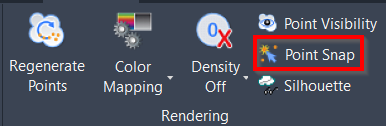
该命令用于切换捕捉到点上云点的功能。
Using the Tool
要打开或关闭点云捕捉,请使用以下任一选项:
- 单击 Rendering 面板中的 Point Snap 按钮。
- 输入与首选 CAD 系统对应的 command line prompt 并按 ENTER。
- 将出现 Point Cloud Snap/Visibility 对话框。
- 选中/取消选中 Disable Snap On Cloud Points 复选框,然后单击 OK。
- 按 Ctrl+F11。