
Description(描述)
在 Chrome 中,在查看器中滚动鼠标滚轮没有任何反应。无法放大或缩小。
Probable Cause(可能原因)
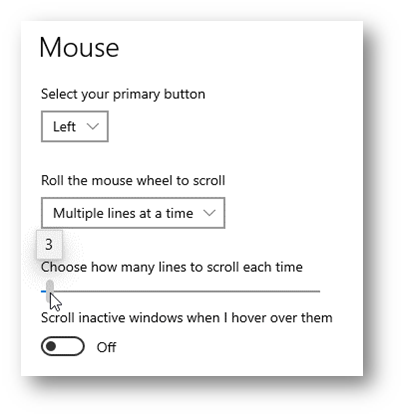
鼠标滚轮滚动的行数必须为“3”;否则鼠标滚轮无法正常工作。
Solution(解决方案)
要更改鼠标设置:
- 按 Windows 键,输入“Mouse Settings(鼠标设置)”。
- “Mouse Setting(鼠标设置)”对话框将打开。
- 选择“Multiple lines at a time(一次多行)”。
- 将水平滚动条滑动到“3”。
使用导航树移动到下一部分或搜索您需要的主题。